For stores on Littledata

Datacrow vs Littledata

Thinking about switching? Here is an honest comparison: where Datacrow is different, where Littledata is genuinely strong, and how to switch without losing data.

Common ground

What’s the same

Both apps do the core job well: server-side tracking from your Shopify store to your ad and analytics platforms. Use one of them per platform: a platform can’t match Datacrow’s copy of a sale to Littledata’s, so running both counts the sale twice. If you have Littledata working and are happy with the price, you do not have a problem we need to solve.

Side by side

What’s different

Datacrow and Littledata, side by side
DatacrowLittledata
Pay-as-you-go$0 monthly + $0.25 per order$0.35 per order
Flat plan$129 (1,500 orders included, then $0.15)$199 Scale (1,500 included, then $0.15, $0.06 past 3,000)
Between 1,500 and 10,000 orders$299 Pro (5,000 included, then $0.07)No mid tier: Scale plus overage until Plus at $990
Free trial30 days on Standard and Pro30 days
DestinationsAll six, every planNine; Segment from the Scale plan up
What your bill countsOnly orders Shopify confirmsTheir own metering
SupportGoes straight to the person who built the productEmail and chat; priority on Scale
  • Pay-as-you-go

    Datacrow
    $0 monthly + $0.25 per order
    Littledata
    $0.35 per order
  • Flat plan

    Datacrow
    $129 (1,500 orders included, then $0.15)
    Littledata
    $199 Scale (1,500 included, then $0.15, $0.06 past 3,000)
  • Between 1,500 and 10,000 orders

    Datacrow
    $299 Pro (5,000 included, then $0.07)
    Littledata
    No mid tier: Scale plus overage until Plus at $990
  • Free trial

    Datacrow
    30 days on Standard and Pro
    Littledata
    30 days
  • Destinations

    Datacrow
    All six, every plan
    Littledata
    Nine; Segment from the Scale plan up
  • What your bill counts

    Datacrow
    Only orders Shopify confirms
    Littledata
    Their own metering
  • Support

    Datacrow
    Goes straight to the person who built the product
    Littledata
    Email and chat; priority on Scale

By order volume

What you’d actually pay

  • Datacrow
  • Littledata
  • 500 orders a monthDatacrow is $50 less

    Datacrow: $125Flex
    Littledata: $175Flex

    or $199 on Scale

  • 1,500 orders a monthDatacrow is $70 less

    Datacrow: $129Standard
    Littledata: $199Scale
  • 3,000 orders a monthDatacrow is $125 less

    Datacrow: $299Pro
    Littledata: $424Scale
  • 10,000 orders a monthDatacrow is $195 less

    Datacrow: $649Pro
    Littledata: $844Scale

    or $990 on Plus

Show as a table
Your orders/monthDatacrowLittledata
500$125 (Flex)$175 (Flex) or $199 (Scale)
1,500$129 (Standard)$199 (Scale)
3,000$299 (Pro)$424 (Scale)
10,000$649 (Pro)$844 (Scale) or $990 (Plus)
Where Littledata lists two plans, the bar shows the cheaper one. Competitor prices are their published pricing as of August 2026 and may have changed. Check their pricing pages for current rates. Datacrow prices are current.
Littledata

Where Littledata is genuinely strong

Fair is fair. Littledata bundles Session Enrichment and a persistent ID into its $199 Scale plan, has a no-code Event Editor, profit signals for Google and Meta, deep subscription analytics for Recharge stores, a Segment destination, and nine years of production history. If those are the features you lean on, it may remain the right tool for you.
Switching

How to switch without double-counting

  1. Install Datacrow and connect a platform (keep your credentials handy, setup is about ten minutes per platform).

  2. Send a test event and confirm it lands.

  3. Right away, turn off everything Littledata sends to that platform, from the browser and from the server. Datacrow’s own browser and store copies of a sale share one ID, so the platform gets each sale from Datacrow once. The platform can’t match Littledata’s copy to Datacrow’s, though, so any order both apps send counts twice.

  4. Watch the next real orders reach that platform under Recent activity in Datacrow. Then repeat, one platform at a time, and uninstall Littledata when none are left.

During setup, Datacrow checks your storefront for Littledata and warns you if it finds it. The check can miss an install, so turn the old sending off either way.

Start tracking what your ad platforms are missing

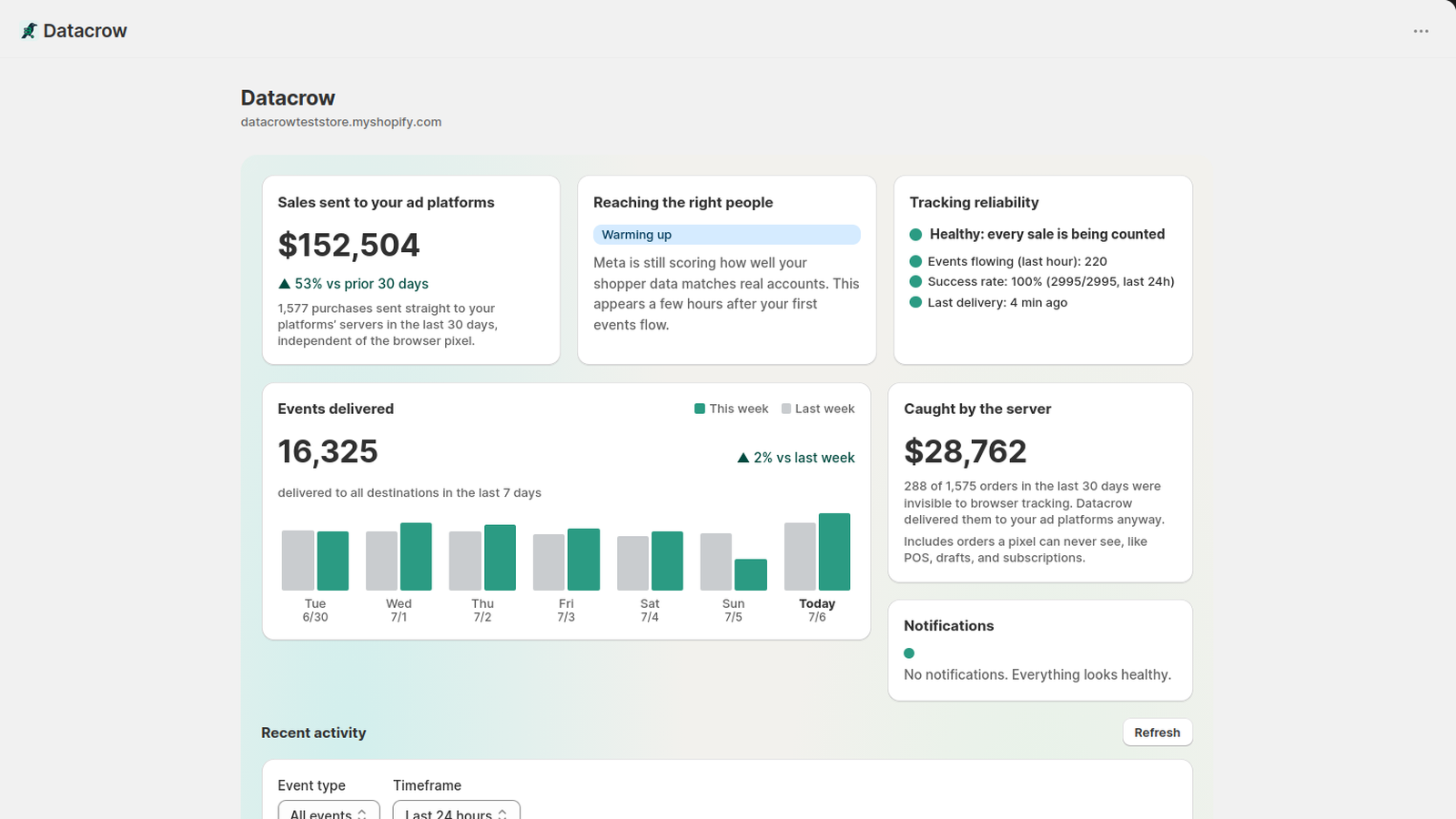
The Datacrow dashboard inside Shopify admin, showing an example store.